# 销售税

Soulver 可以帮助您计算销售税，例如确定在总价上支付了多少销售税，以及在添加税前价格是多少。

### 设置

打开 Soulver 的 **货币** 设置，并确保设置了销售税（VAT、GST 等）的正确名称，以及您国家或州的正确百分比：

<figure><img src="/files/BS02Y1bCOcxSJw4nCTij" alt="" width="268"><figcaption><p>在 Soulver 的区域设置中设置销售税</p></figcaption></figure>

{% hint style="info" %}
Soulver 根据您设备的区域设置，为包括澳大利亚、新西兰、英国和欧盟国家在内的许多国家设置了销售税默认值。

我们的美国用户必须手动设置销售税，因为美国的销售税是州级的（而且我们不想要求获取您的地理位置信息）。
{% endhint %}

### 处理销售税

{% hint style="info" %}
下面的示例假设销售税（VAT）为 15%。
{% endhint %}

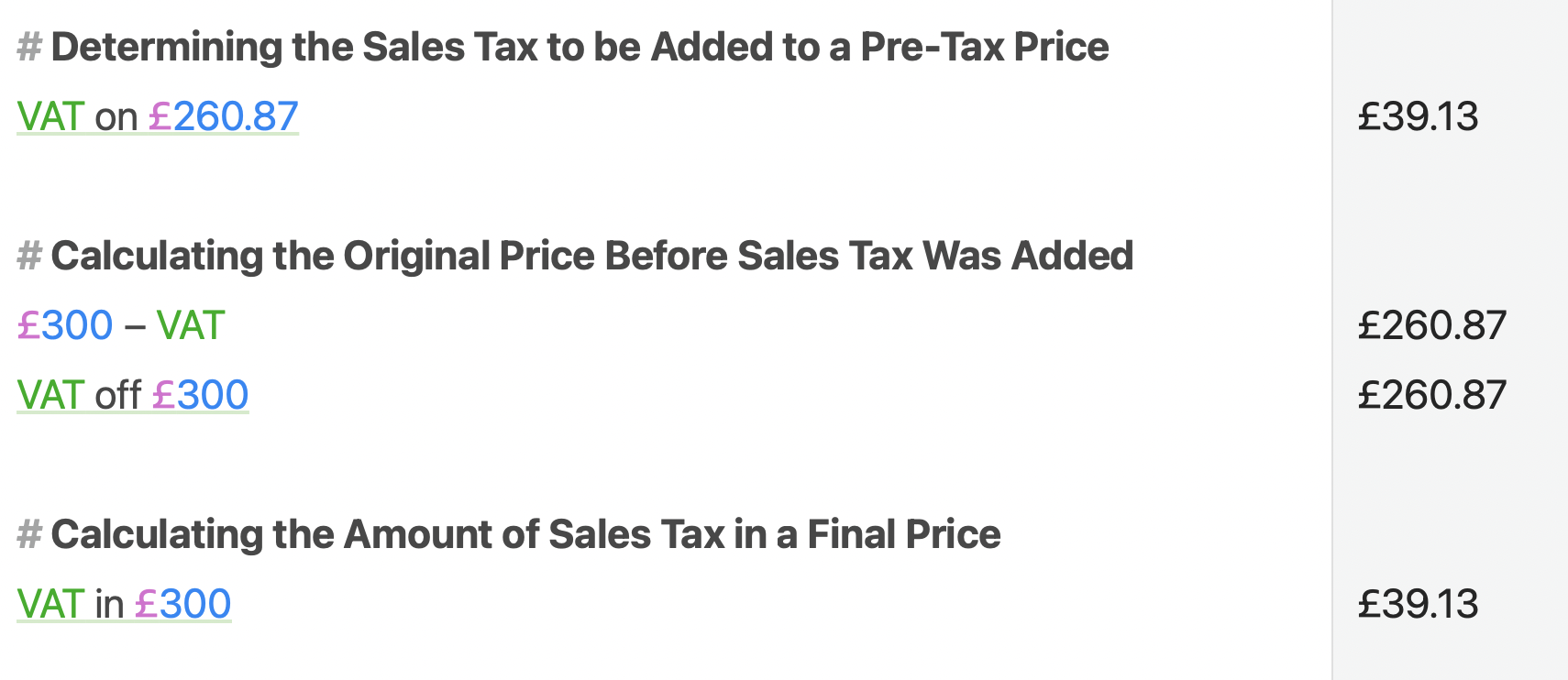
#### 向金额添加销售税

```
$300 + VAT  | $345.00
VAT on $300 | $45.00
```

#### 从总额中移除销售税

```
$300 - VAT   | $260.87
VAT off $300 | $260.87
```

{% hint style="info" %}
请注意，“$300 - VAT”与简单地从 $300 中减去 15% 是不一样的。Soulver 通过除以 1.15 正确计算出税前价格，得到 $260.87（而不是 $255）。
{% endhint %}

#### 从总额中提取税额

```
VAT in $300   | $39.13
VAT of $300   | $39.13
VAT from $300 | $39.13
```

<div align="left"><figure><img src="/files/Os8IrpnAksEk95kQepzq" alt=""><figcaption><p>Soulver 中的销售税相关功能</p></figcaption></figure></div>


---

# Agent Instructions: Querying This Documentation

If you need additional information that is not directly available in this page, you can query the documentation dynamically by asking a question.

Perform an HTTP GET request on the current page URL with the `ask` query parameter:

```
GET https://documentation.soulver.app/zh/yu-fa-can-kao/money-and-finance/sales-tax.md?ask=<question>
```

The question should be specific, self-contained, and written in natural language.
The response will contain a direct answer to the question and relevant excerpts and sources from the documentation.

Use this mechanism when the answer is not explicitly present in the current page, you need clarification or additional context, or you want to retrieve related documentation sections.