# 行程规划

**时间点线**

要开始一次旅行，请将带有**日期**或**时间**结果的线条标记为“时间点”（通过答案的上下文菜单，或按 ⌘-T）。

时间点可能是**旅行的开始**，也可能是**旅行的结束**（取决于您的情况）。

以下是使用时间点时，Soulver 如何帮助您进行旅行规划的一些示例：

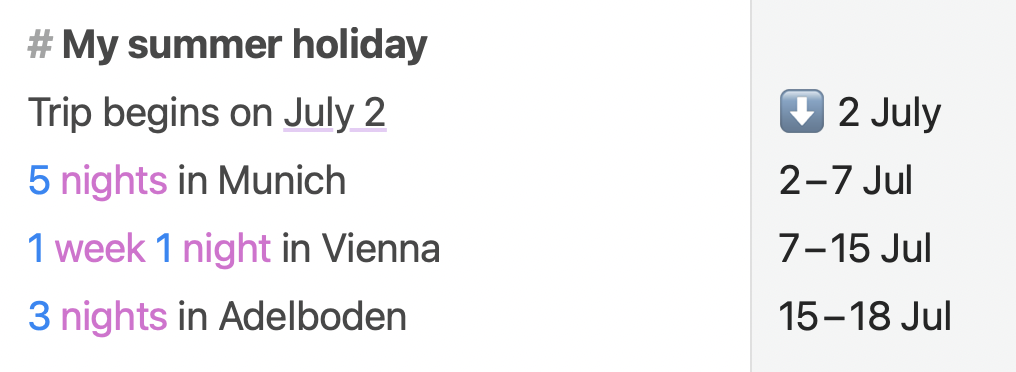
1. **仅有开始日期的旅行**

<div align="left" data-full-width="false"><figure><img src="/files/4myZQmf7r9u1puZFK71W" alt="" width="375"><figcaption><p>使用 Soulver 进行旅行规划的假期计划</p></figcaption></figure></div>

在这里，我们将“2 July”这条线标记为**时间点**线。

后续的线条显示了我们想要访问的每个城市的日期区间。

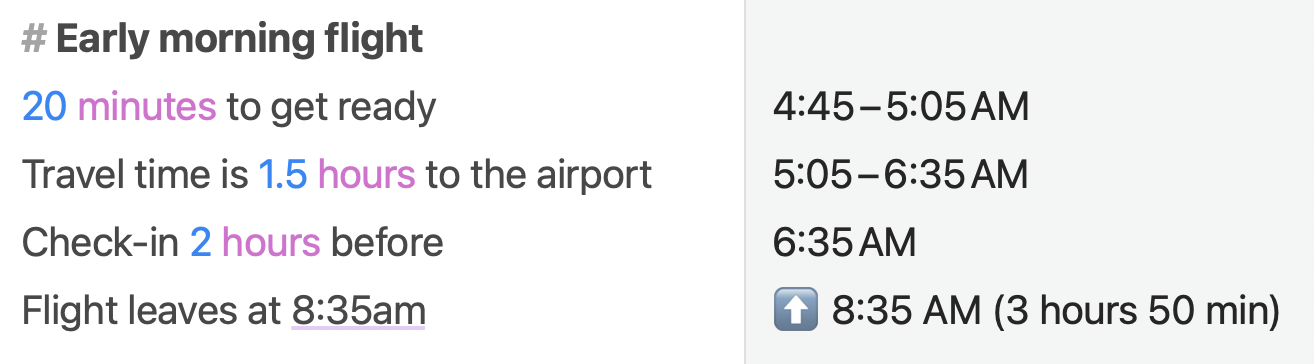
2. **有结束日期或截止日期的旅行**

<div align="left"><figure><img src="/files/p7hgJabSFKHBVIUdoAwZ" alt="" width="375"><figcaption><p>使用 Soulver 进行旅行规划，计划准时到达机场</p></figcaption></figure></div>

在这里，我们将带有“8:35am”的最后一条线标记为**时间点**线。

前面的线条将显示相对于它的日期区间，我们可以看到为了赶上航班，我们需要在凌晨 4:45 醒来。

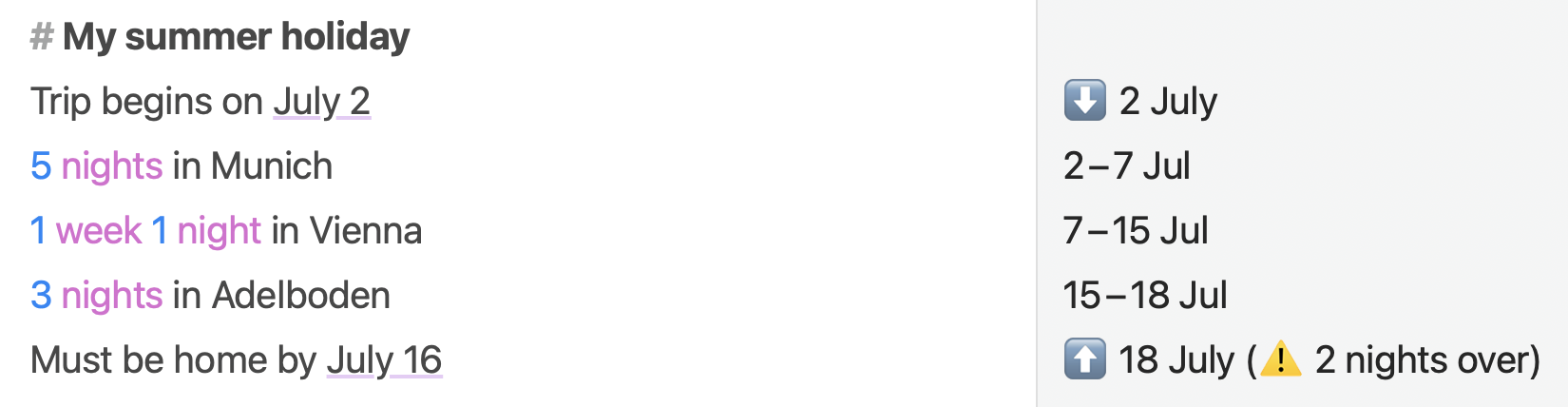
3. **同时有开始和结束日期的旅行**

如果您的旅行或项目同时有开始日期和结束日期，Soulver 还可以帮助确保您分配的时间是否满足您的截止日期。

<div align="left"><figure><img src="/files/ZjRcOhKrcmMhOK2KhPZG" alt="" width="375"><figcaption><p>同时有开始和结束日期的旅行</p></figcaption></figure></div>

将开始日期和结束日期标记为**时间点**线，结束日期线将显示警告（如果需要）。


---

# Agent Instructions: Querying This Documentation

If you need additional information that is not directly available in this page, you can query the documentation dynamically by asking a question.

Perform an HTTP GET request on the current page URL with the `ask` query parameter:

```
GET https://documentation.soulver.app/zh/documentation/trip-planning.md?ask=<question>
```

The question should be specific, self-contained, and written in natural language.
The response will contain a direct answer to the question and relevant excerpts and sources from the documentation.

Use this mechanism when the answer is not explicitly present in the current page, you need clarification or additional context, or you want to retrieve related documentation sections.