# 总计与小计

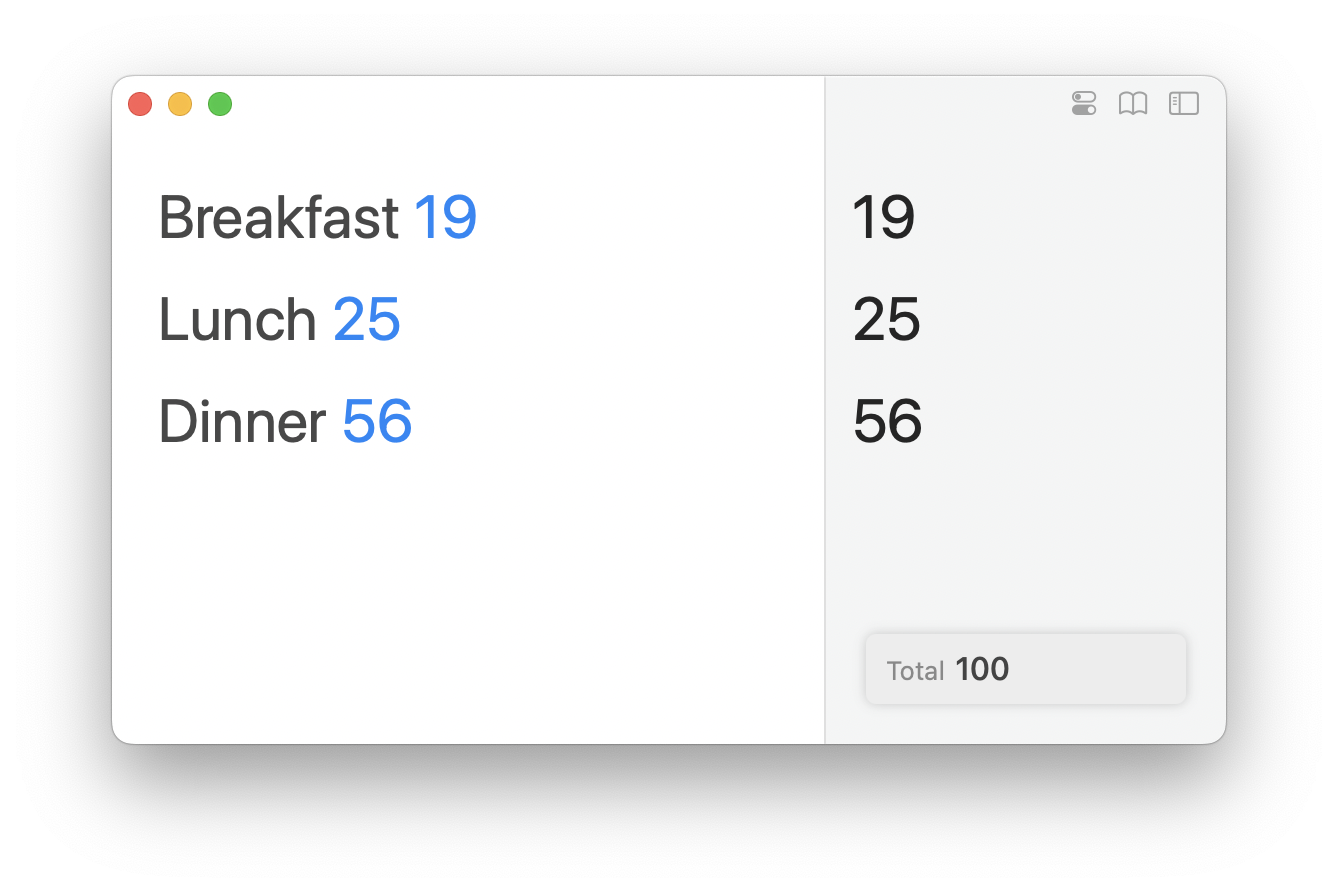
默认情况下，Soulver 会在右下角显示所有行的总计。

<div align="center"><img src="/files/pQOHWkPe01f1kyLNFyOr" alt="屏幕右下角会出现一个浮动快速总计（默认设置）" width="375"></div>

### 小计

#### 在 Mac 上创建小计

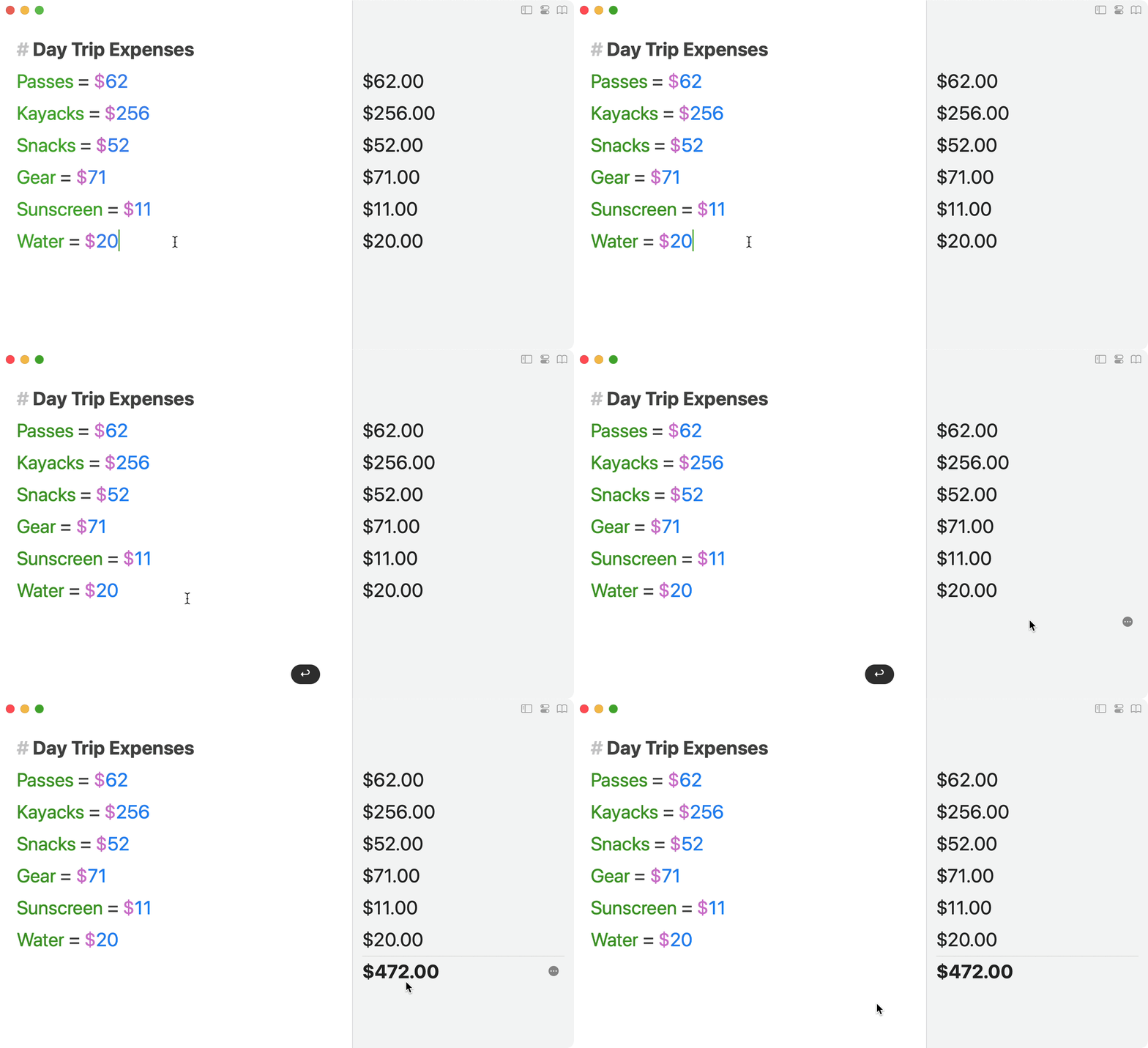
添加一个空白行，然后按 ⌘T（或双击空白答案）。

小计行会计算出所有位于其上方的行，直到下一个小计或标题（#）。

<div align="left"><figure><img src="/files/Wnk2XfqDsPHW2B4EpD85" alt="" width="375"><figcaption><p>在空白行上双击答案即可将其转换为小计</p></figcaption></figure></div>

#### 在 iPad 和 iPhone 上创建小计

长按空白行，然后选择 `创建小计行`：

![Soulver 3 iPad 上的小计](/files/FIrxAqby5Ll79R1FLzy4)

或者，轻触最后一行下方的空白区域。

## 小计操作

#### 将小计分配给变量

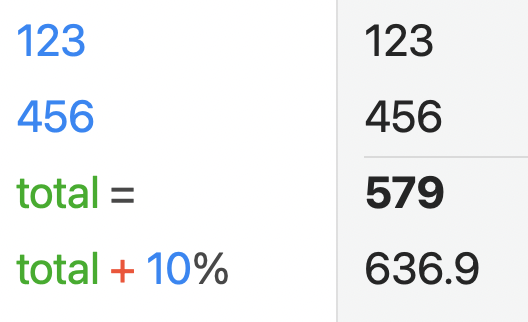
您可以使用 "variable = "并在值处留空来在小计行创建变量：

<img src="/files/wNklTh3Z3O29D64DqXG2" alt="在小计行上声明一个没有值的变量" data-size="original">

#### 向小计添加百分比（例如销售税）

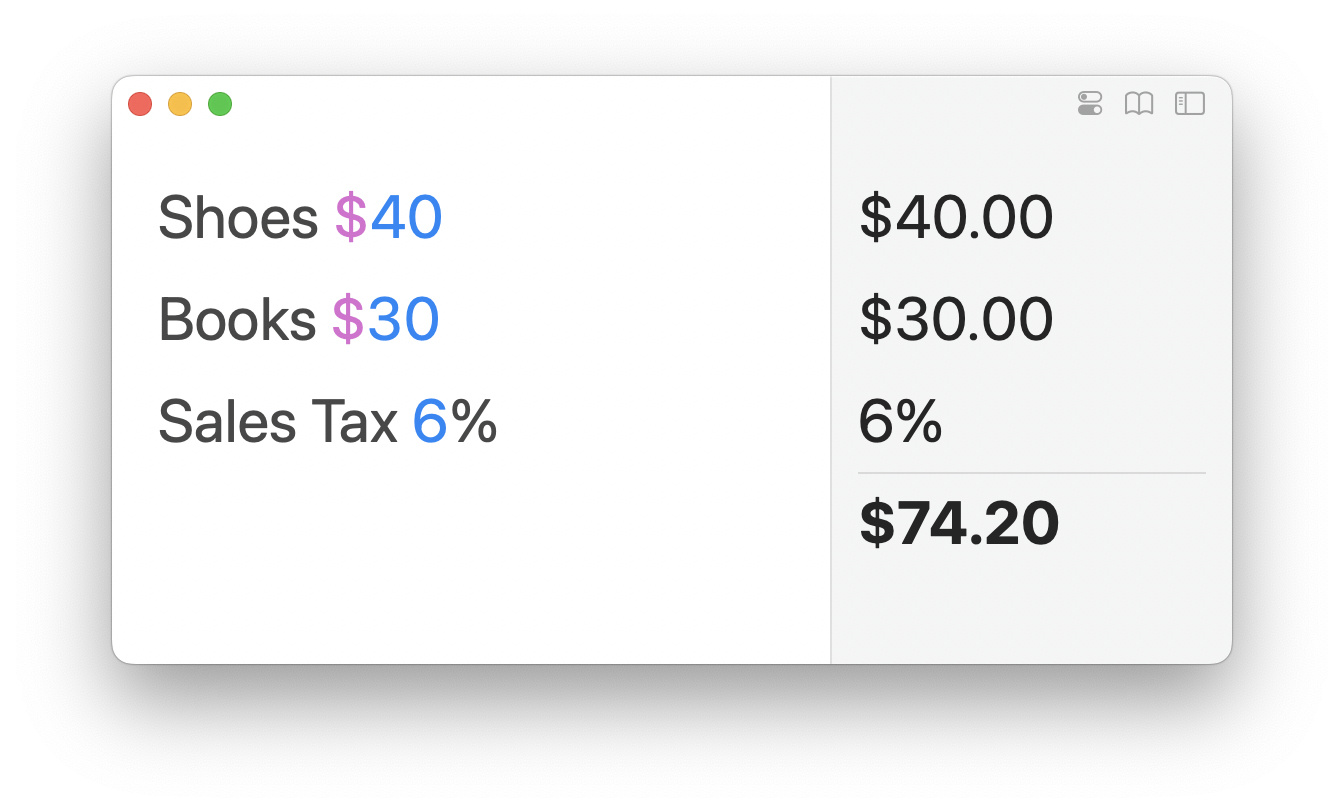
在小计中添加一个百分比行，以便将其应用于最终结果。

<figure><img src="/files/CspRDw1Y6Dck6wxUgWVN" alt="" width="375"><figcaption><p>小计中的百分比将应用于最终结果</p></figcaption></figure>

## 自定义浮动总计

#### 显示/隐藏浮动总计

如果总计不适合您的特定工作流程，您可以将鼠标悬停在总计上并点击 `隐藏` 来隐藏它。

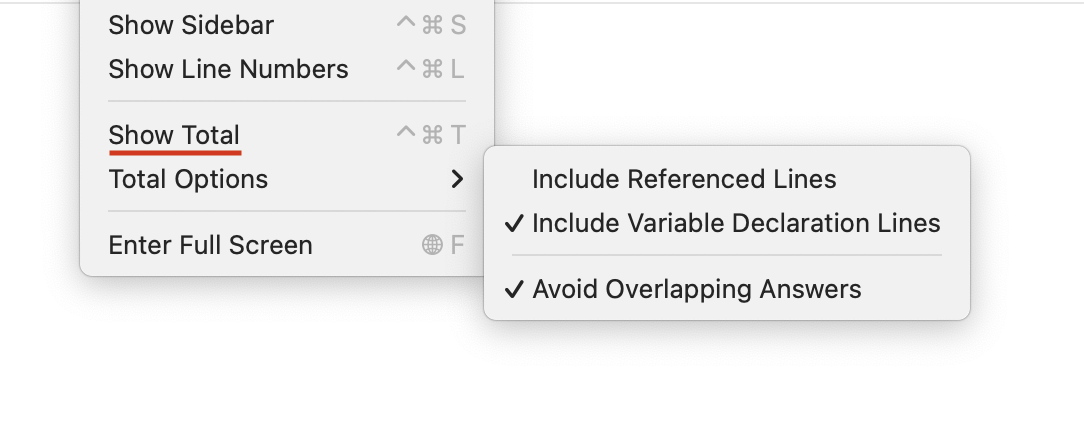
要重新显示总计，请转到 `视图` 菜单并选择 `显示总计`。

<figure><img src="/files/0EjrvgDmR6xZpLpyGvZH" alt=""><figcaption><p>更多浮动总计选项可在“视图”菜单中找到</p></figcaption></figure>

#### 更改统计类型

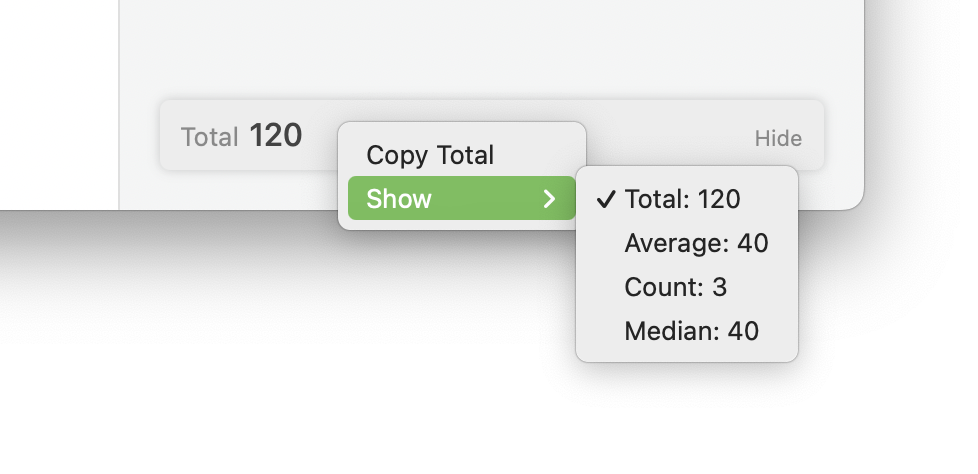
您还可以通过右键单击浮动总计并选择替代统计数据来显示您行的平均值、计数和中位数。

<figure><img src="/files/vo09yHxwsHdLwbFjyPpK" alt=""><figcaption><p>通过上下文菜单为浮动总计选择替代统计数据</p></figcaption></figure>


---

# Agent Instructions: Querying This Documentation

If you need additional information that is not directly available in this page, you can query the documentation dynamically by asking a question.

Perform an HTTP GET request on the current page URL with the `ask` query parameter:

```
GET https://documentation.soulver.app/zh/documentation/totals-and-subtotals.md?ask=<question>
```

The question should be specific, self-contained, and written in natural language.
The response will contain a direct answer to the question and relevant excerpts and sources from the documentation.

Use this mechanism when the answer is not explicitly present in the current page, you need clarification or additional context, or you want to retrieve related documentation sections.