# 数字格式

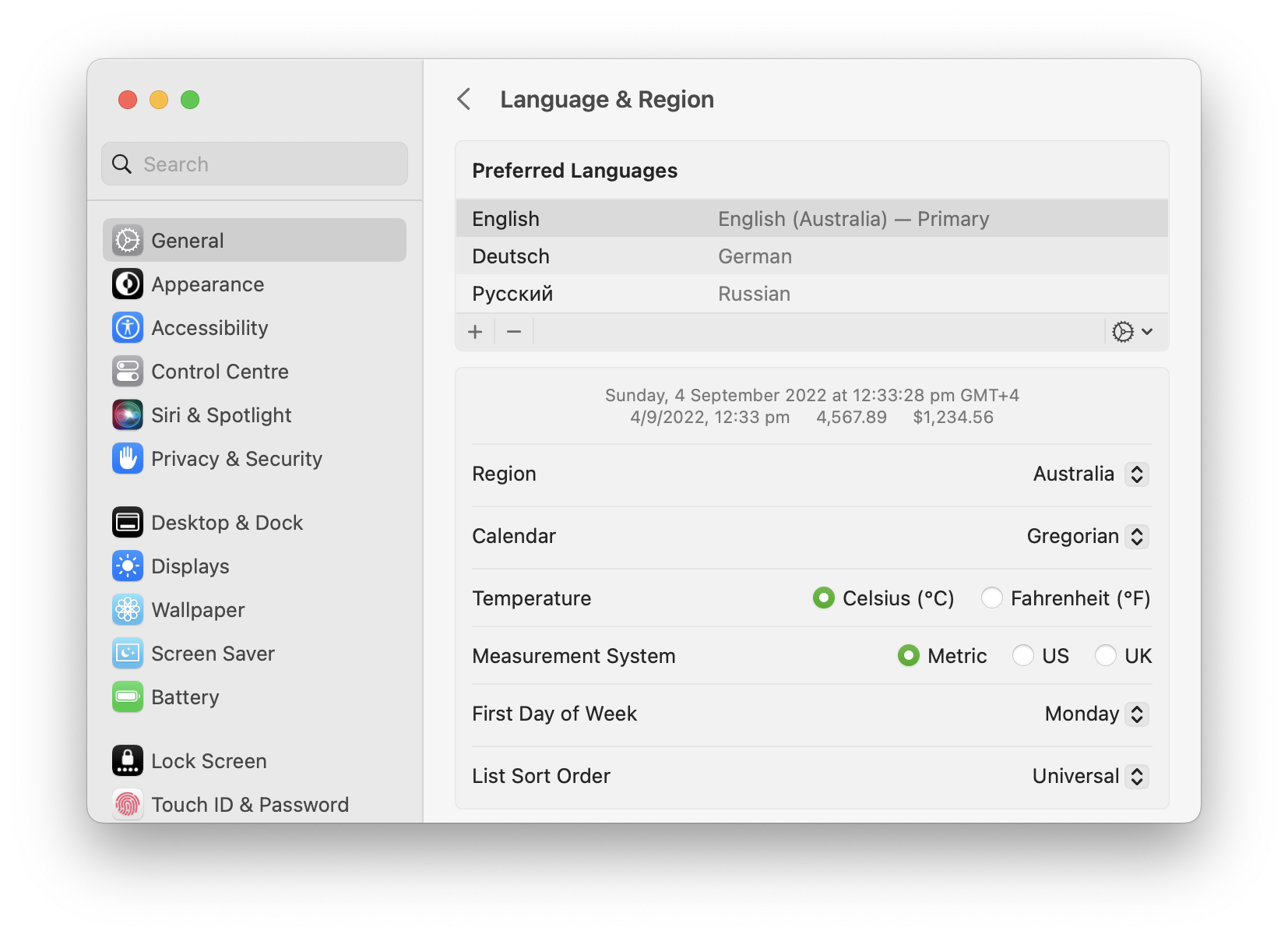
**默认情况下**，Soulver 使用您设备 **语言与地区** 系统设置中的选项。

<figure><img src="/files/q9xxaTkfhzx0yymTYmKq" alt=""><figcaption><p>macOS 系统设置会根据您的地区通知 Soulver 使用的数字格式</p></figcaption></figure>

### 选择您的数字格式设置

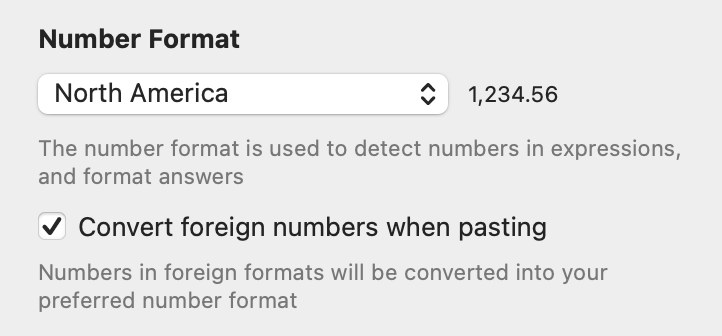
您也可以在 Soulver 的 **计算器** > **数字格式设置** 中选择不同的数字格式。

<div align="left"><figure><img src="/files/XaDNqcW6XjU1soCkXd49" alt="" width="361"><figcaption><p>除了系统地区外，可选择三种标准地区之一</p></figcaption></figure></div>

| 格式 | 千位分隔符  | 小数点 |
| -- | ------ | --- |
| 北美 | ,      | .   |
| 西欧 | .      | ,   |
| 东欧 | (空格字符) | ,   |

{% hint style="info" %}
在东欧地区，可使用 `.` 或 `,` 作为小数点
{% endhint %}

### 输入时自动插入千位分隔符

在 **编辑** 设置面板中勾选 **使用千位分隔符格式化数字**，

10000 将自动格式化为 10,000（例如，在北美地区）

<figure><img src="/files/z2DsxiyNzqPUsAAWMORQ" alt=""><figcaption><p>Soulver 会在您输入数字时自动插入千位分隔符</p></figcaption></figure>

### 粘贴时转换外文格式的数字

勾选 **粘贴时转换外文数字**，可以将粘贴到工作表中的外文格式数字自动转换为您选择的数字格式。

{% hint style="info" %}
使用外文数字格式的工作表在打开时会自动转换为您选择的数字格式。
{% endhint %}

### 使用下划线作为千位分隔符

您可以使用下划线字符来分隔数字。

这在编程语言中很常见，因此您可以轻松地在 Soulver 和您的代码之间复制和粘贴数字。

```
1_000_000 + 2_000          | 1,002,000
0b_1100_0001 to decimal    | 193
0xCAFE_F00D to decimal     | 3.406G
```


---

# Agent Instructions: Querying This Documentation

If you need additional information that is not directly available in this page, you can query the documentation dynamically by asking a question.

Perform an HTTP GET request on the current page URL with the `ask` query parameter:

```
GET https://documentation.soulver.app/zh/documentation/formatting/region-settings.md?ask=<question>
```

The question should be specific, self-contained, and written in natural language.
The response will contain a direct answer to the question and relevant excerpts and sources from the documentation.

Use this mechanism when the answer is not explicitly present in the current page, you need clarification or additional context, or you want to retrieve related documentation sections.