# Soulver Studio

### 什么是 Soulver Studio？

Soulver Studio 是一项功能，可以将您的 Soulver 表格转换为可以在任何运行 macOS 12+ 的 Mac 上的独立应用。
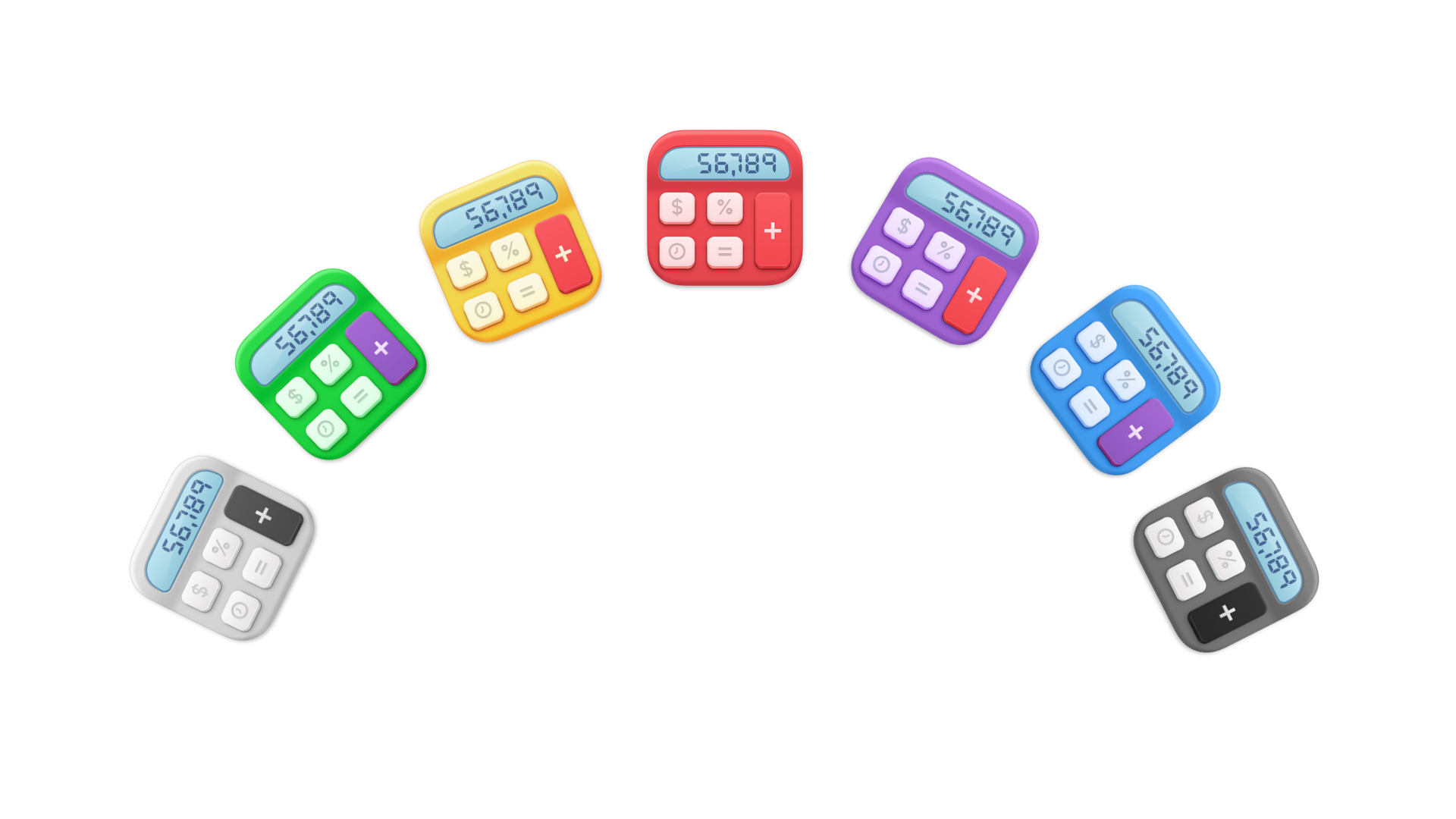
<figure><img src="/files/llnRmIZ0iaA36RUBCS3E" alt="Soulver Studio icons" width="375"><figcaption><p>可供您选择的 7 个炫酷新计算器应用的图标</p></figcaption></figure>

### 我为什么要这样做？

* 使用 Soulver Studio 将计算表（假设包含变量和行引用）分享给未安装 Soulver 的人。
* 例如，您可能用它来替代发送 Excel/Numbers 电子表格给别人。

### 如何使用？

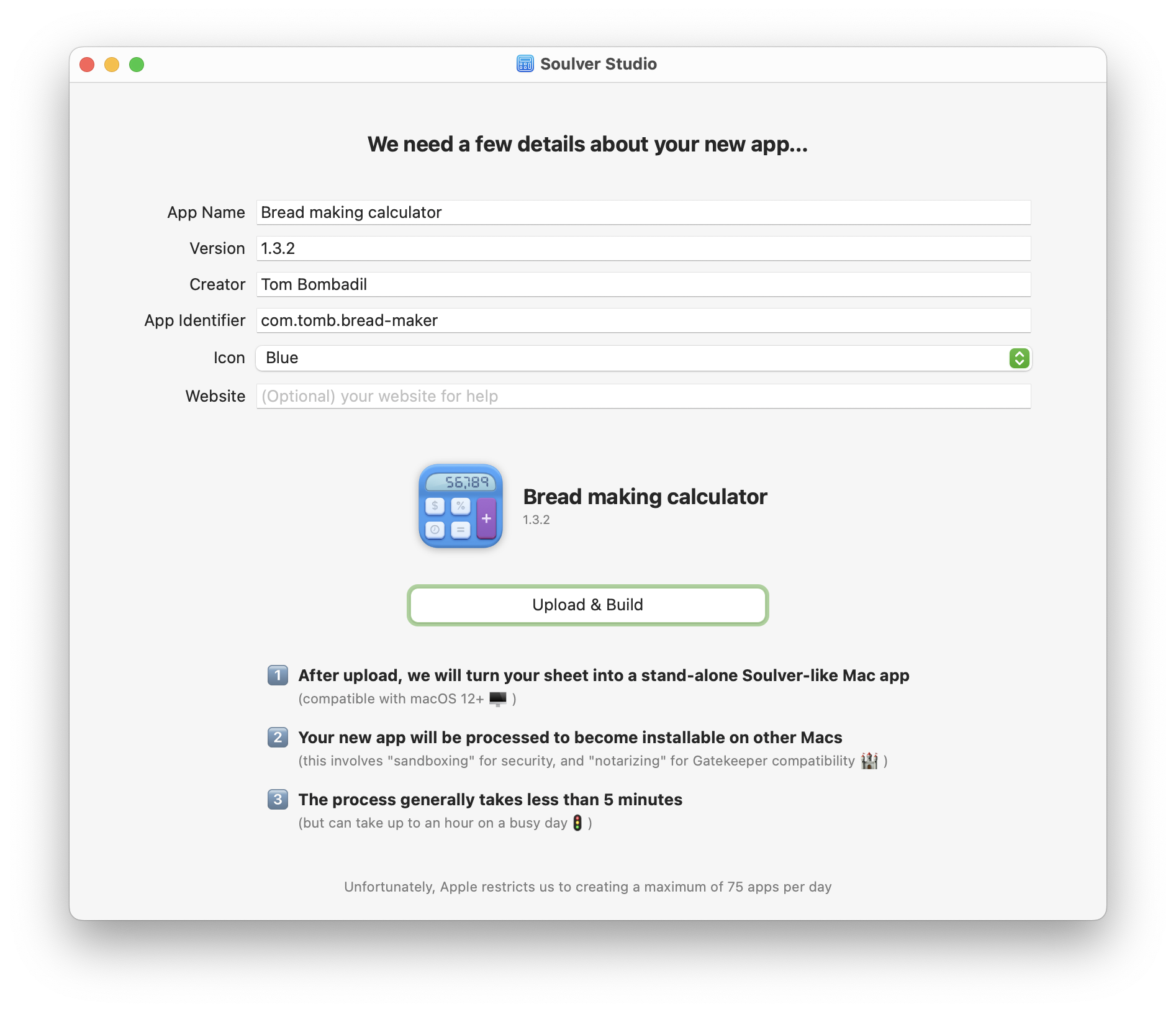
1. 选择一个表格，然后前往 **Sheet** 菜单 > **Build app from Sheet**。
2. 提供有关您新应用的详细信息：为其起一个令人难忘的名称，设置版本号（如 1.2.3 等），并提供一个在应用新构建中保持不变的唯一标识符（macOS 要求所有 Mac 应用必须有此标识符）。
3. 从 7 个可用的彩色选项中选择您喜欢的图标。
4. 点击 **Upload and Build**。
5. 您的新应用（通常）将在 5 分钟内准备好下载。压缩后约为 7 MB，解压后约为 15 MB。

<figure><img src="/files/CPtzS6LXPdQJgz4NCA7p" alt="Soulver Studio setup screen" width="563"><figcaption><p>将 Soulver 表格转换为独立应用真的如此简单。</p></figcaption></figure>

### 我的表格上传后会发生什么？

* 您的表格上传到我们的服务器后，它将被转换为一个类似 Soulver 的 Mac 应用。
* 然后，该应用会进行 [沙盒化](https://developer.apple.com/documentation/security/app_sandbox/protecting_user_data_with_app_sandbox)。沙盒化是 macOS 上的一种可选安全措施，可以使应用在技术上无法访问您的文件（提供额外的安心感）。
* 随后，该应用会被发送到苹果进行一个称为 [公证](https://developer.apple.com/documentation/security/notarizing_macos_software_before_distribution)。这是使应用可以在其他 Mac 上安装的必要步骤（参见 [Gatekeeper](https://support.apple.com/guide/security/gatekeeper-and-runtime-protection-sec5599b66df/web)）。通常需要几分钟，但如果苹果当天很忙，可能需要长达一小时。
* 您的应用将在完成后的 24 小时内从我们的服务器上删除。如果您想与他人分享您的应用，您需要自己托管它。

### 限制

* Soulver Studio 应用不能创建新行。我们建议您使用变量和行引用来设置您的表格，使其作为独立应用时更实用。
* Soulver Studio 应用无法访问实时股票价格或执行天气查询（但它们可以访问实时货币汇率）。
* 我们受苹果的限制，每天只能构建 [75 个应用](https://developer.apple.com/documentation/security/notarizing_macos_software_before_distribution/customizing_the_notarization_workflow#3561440)。当达到此限制时，Soulver Studio 将在一段时间内不可用。


---

# Agent Instructions: Querying This Documentation

If you need additional information that is not directly available in this page, you can query the documentation dynamically by asking a question.

Perform an HTTP GET request on the current page URL with the `ask` query parameter:

```
GET https://documentation.soulver.app/zh/documentation/exporting/soulver-studio.md?ask=<question>
```

The question should be specific, self-contained, and written in natural language.
The response will contain a direct answer to the question and relevant excerpts and sources from the documentation.

Use this mechanism when the answer is not explicitly present in the current page, you need clarification or additional context, or you want to retrieve related documentation sections.