> For the complete documentation index, see [llms.txt](https://documentation.soulver.app/llms.txt). Markdown versions of documentation pages are available by appending `.md` to page URLs; this page is available as [Markdown](https://documentation.soulver.app/ko/undefined/money-and-finance/sales-tax.md).
# 판매세
GST, VAT 등
Soulver는 총액 가격에 얼마의 판매세가 부과되었는지, 그리고 세금이 추가되기 전의 세전 가격이 얼마였는지 등을 계산하는 데 도움을 줄 수 있습니다.
### 설정
Soulver의 **돈(Money)** 설정으로 이동하여 판매세(VAT, GST 등)에 대한 정확한 이름과 국가 또는 주에 맞는 정확한 비율이 설정되어 있는지 확인하세요.
Soulver의 지역 설정에서 판매세 설정하기
{% hint style="info" %}
Soulver는 사용자의 기기 지역 설정을 기반으로 호주, 뉴질랜드, 영국 및 EU 국가를 포함한 여러 국가의 판매세 기본 설정을 제공합니다.
미국 사용자는 주(state)마다 판매세가 다르기 때문에 판매세 설정을 수동으로 해야 합니다 (그리고 저희는 사용자의 지리적 위치를 요청하고 싶지 않습니다).
{% endhint %}
### 판매세 사용하기
{% hint style="info" %}
아래 예시는 판매세의 이름이 "부가세"이고 세율이 15%라고 가정합니다.
{% endhint %}
#### 금액에 판매세 추가하기
```
$300 + 부가세 | $345.00
```
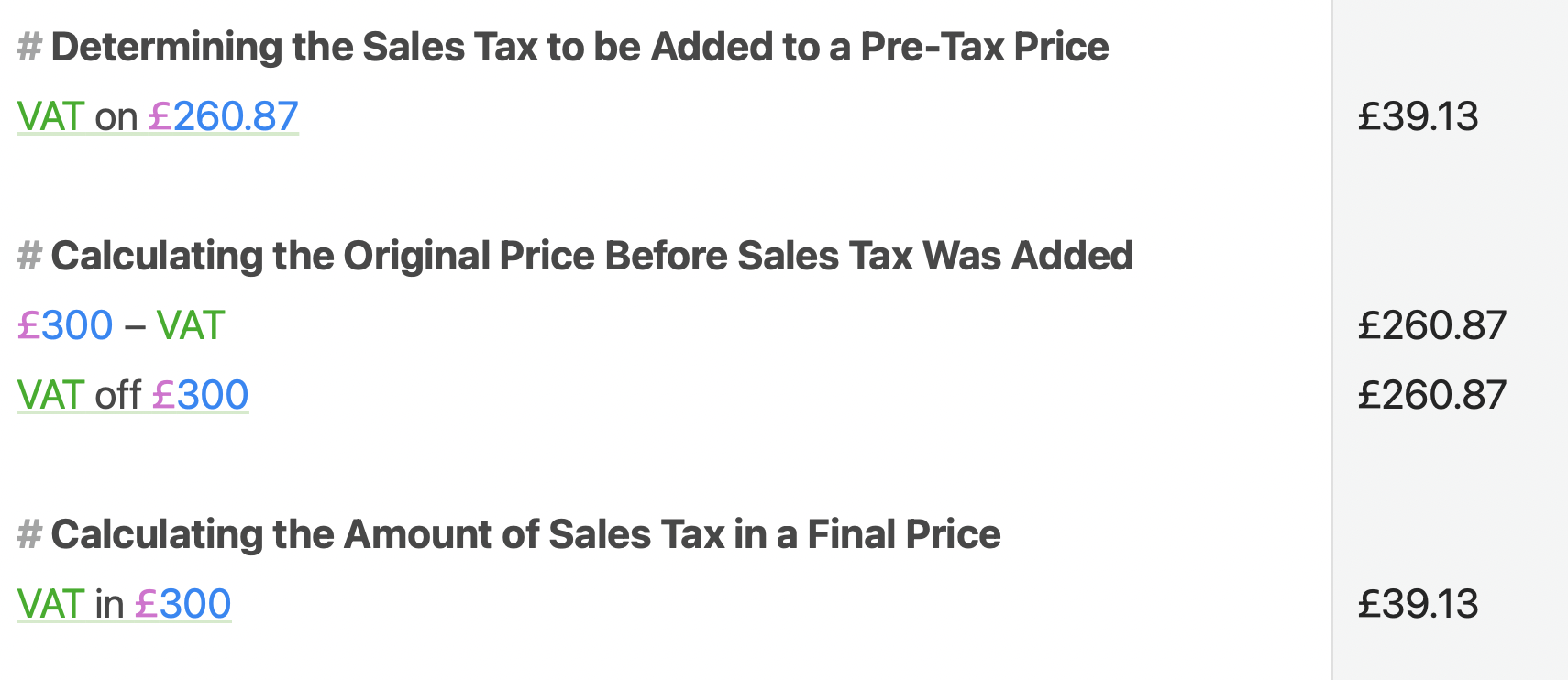
#### 총액에서 판매세 제거하기
```
$300 - 부가세 | $260.87
부가세 제외 $300 | $260.87
```
{% hint style="info" %}
"$300 - 부가세"는 단순히 $300에서 15%를 빼는 것과 같지 않다는 점에 유의하세요. Soulver는 1.15로 나누어 세전 가격을 올바르게 계산하여 $260.87을 제공합니다 (단순히 $255가 아님).
{% endhint %}
%20(1).png?alt=media)