> For the complete documentation index, see [llms.txt](https://documentation.soulver.app/llms.txt). Markdown versions of documentation pages are available by appending `.md` to page URLs; this page is available as [Markdown](https://documentation.soulver.app/ko/documentation/trip-planning.md).
# 여행 계획
날짜나 시간을 시점으로 표시하여 여러 단계의 여행을 계획할 수 있습니다. Soulver가 여행 기간을 합산해 드리며, 시간 예산을 초과하면 알려드립니다.
**시간 지점 라인**
여행을 시작하려면, **날짜** 또는 **시간** 결과가 있는 라인을 "시간 지점"으로 표시합니다(답변의 상황별 메뉴를 사용하거나 ⌘-T를 누릅니다).
시간 지점은 **여행 시작일**일 수도 있고, **여행 종료일**일 수도 있습니다(상황에 맞는 것을 사용하세요).
시간 지점을 사용하여 여행 계획을 세울 때 Soulver가 어떻게 도움을 줄 수 있는지 몇 가지 예시를 소개합니다:
1. **시작 날짜만 있는 여행**
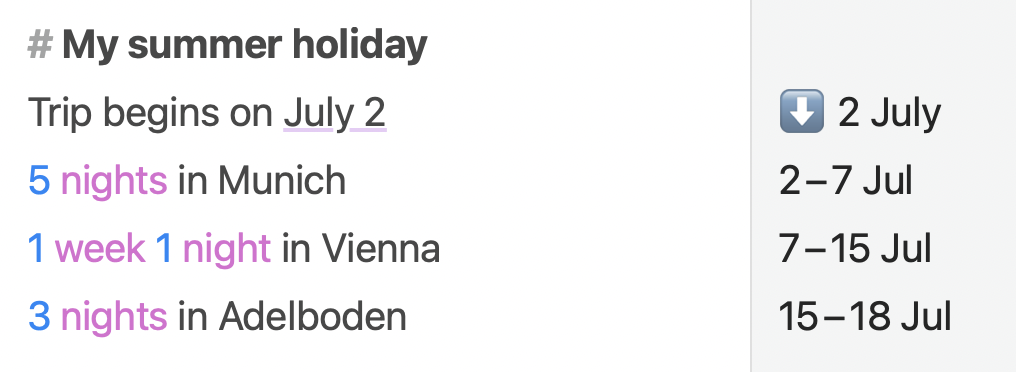
Soulver에서 여행 계획으로 휴가 계획하기
여기서는 "2 July" 라인을 **시간 지점** 라인으로 표시했습니다.
이후 라인에는 방문하려는 각 도시의 날짜 간격이 표시됩니다.
2. **종료 날짜 또는 마감일이 있는 여행**
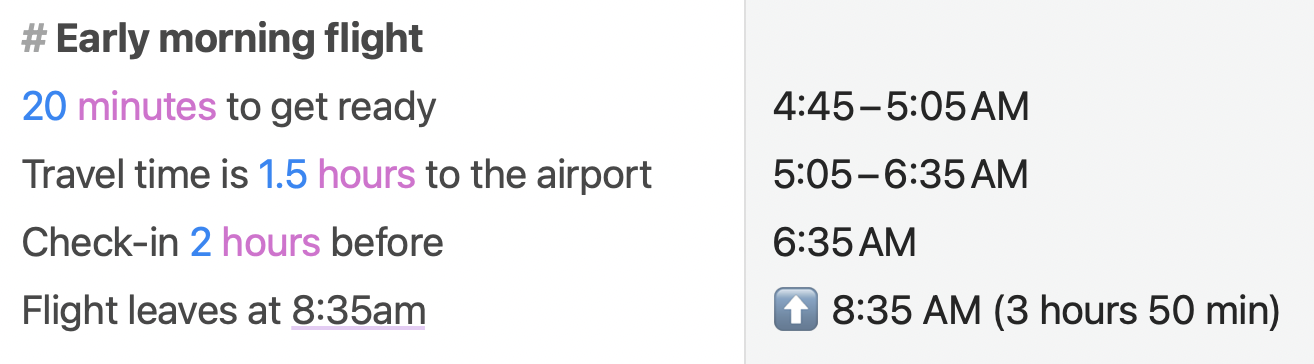
Soulver에서 여행 계획으로 제시간에 공항에 도착하기 계획하기
여기서는 "8:35am"으로 표시된 마지막 라인을 **시간 지점** 라인으로 표시했습니다.
이전 라인에는 이 시점을 기준으로 한 날짜 간격이 표시되며, 비행기를 타려면 오전 4시 45분에 일어나야 한다는 것을 알 수 있습니다.
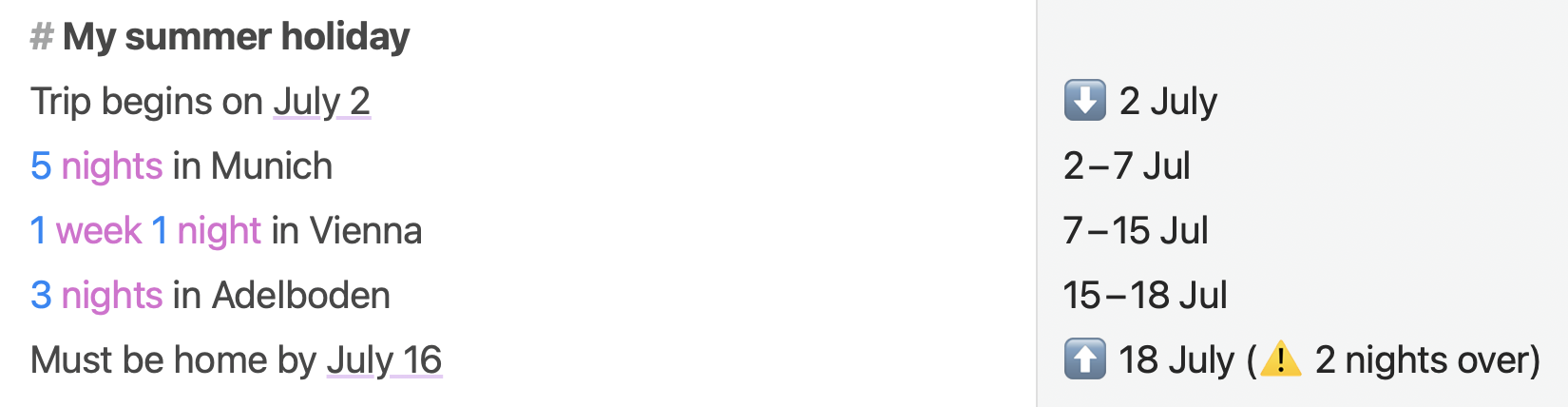
3. **시작일과 종료일이 모두 있는 여행**
여행이나 프로젝트에 시작일과 종료일이 모두 있는 경우, Soulver는 할당된 시간이 마감일을 충족하는지 확인하는 데 도움을 줄 수도 있습니다.