> For the complete documentation index, see [llms.txt](https://documentation.soulver.app/llms.txt). Markdown versions of documentation pages are available by appending `.md` to page URLs; this page is available as [Markdown](https://documentation.soulver.app/ko/documentation/formatting/appearance-and-styles.md).
# 텍스트 스타일링
### 구문 강조
구문 강조 표시는 Soulver가 표현식을 해석하는 방법을 확인하는 데 도움이 됩니다. 숫자, 변수 및 연산자는 다른 색상으로 표시되며 Soulver가 이해하는 문구에는 밑줄이 그어져 있습니다.
### 라인 강조
행의 본문, 레이블, 주석을 각각 강조 표시할 수 있습니다. 강조 표시는 해당 부분의 구문 색상을 대체합니다.
**Mac에서:** 강조하고 싶은 본문, 라벨, 댓글에 커서를 놓은 후 **Format > Highlight**에서 색상을 선택하세요. 선의 해당 부분을 Control-클릭하고 상황에 맞는 메뉴에서 강조 색상을 선택할 수도 있습니다.
**iPad 및 iPhone에서:** 본문, 라벨, 댓글 중 텍스트를 선택한 후 편집 메뉴에서 **Highlight**를 선택하고 색상을 선택하세요.
### 하이라이팅 색상 사용자 정의
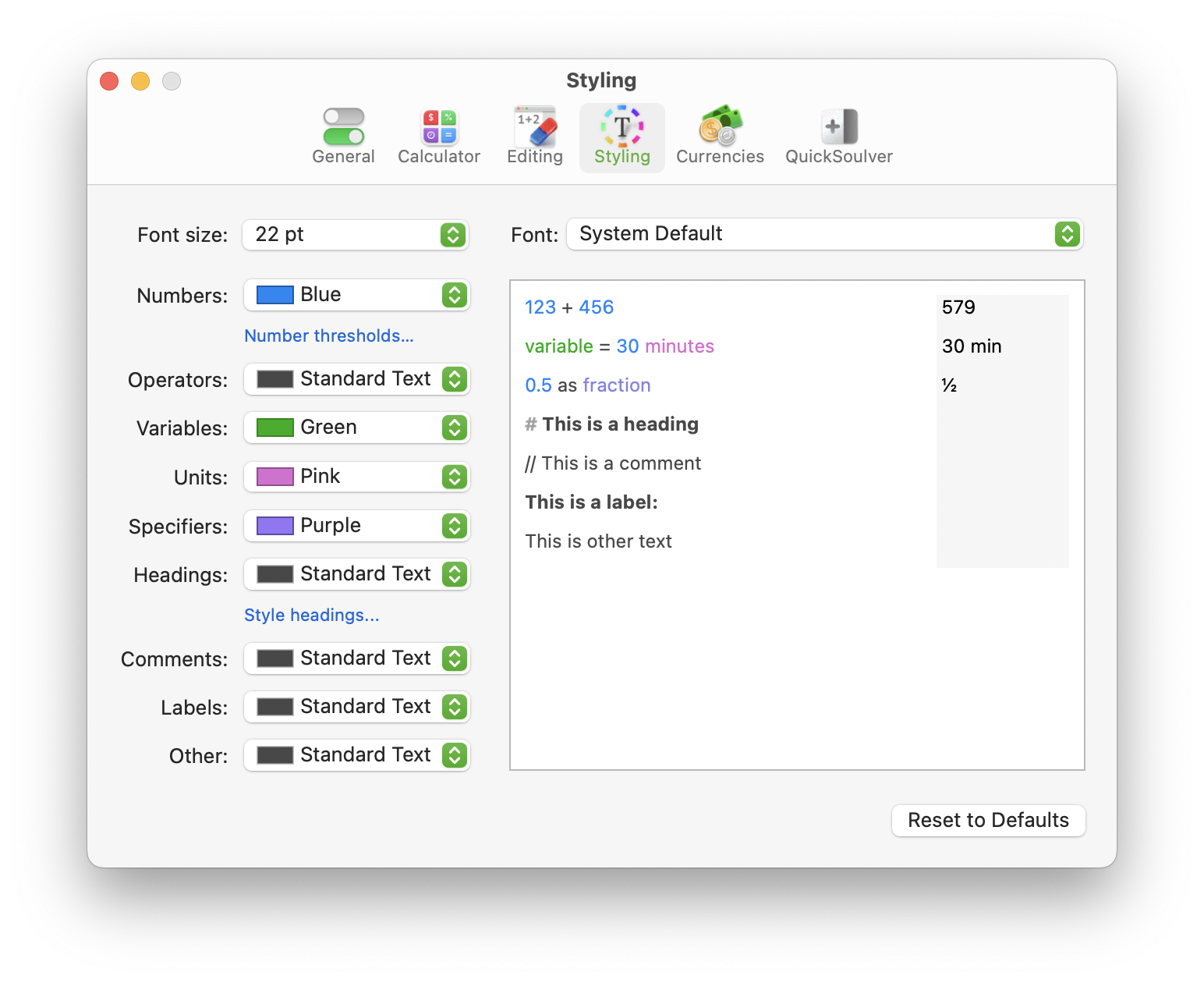
**스타일링** 설정 창에서 Soulver가 표현식의 다양한 부분을 나타내는 데 사용하는 색상을 사용자 정의하세요.
.png?alt=media)
.png?alt=media)