> For the complete documentation index, see [llms.txt](https://documentation.soulver.app/llms.txt). Markdown versions of documentation pages are available by appending `.md` to page URLs; this page is available as [Markdown](https://documentation.soulver.app/ko/documentation/exporting/soulver-studio.md).
# Soulver Studio
Soulver 시트를 독립 실행형 Mac 앱으로 공유하기 🤯
### Soulver Studio란 무엇인가요?
Soulver Studio는 사용자의 Soulver 시트를 macOS 12 이상을 실행하는 모든 Mac에 설치할 수 있는 독립 실행형 앱으로 변환하는 기능입니다.
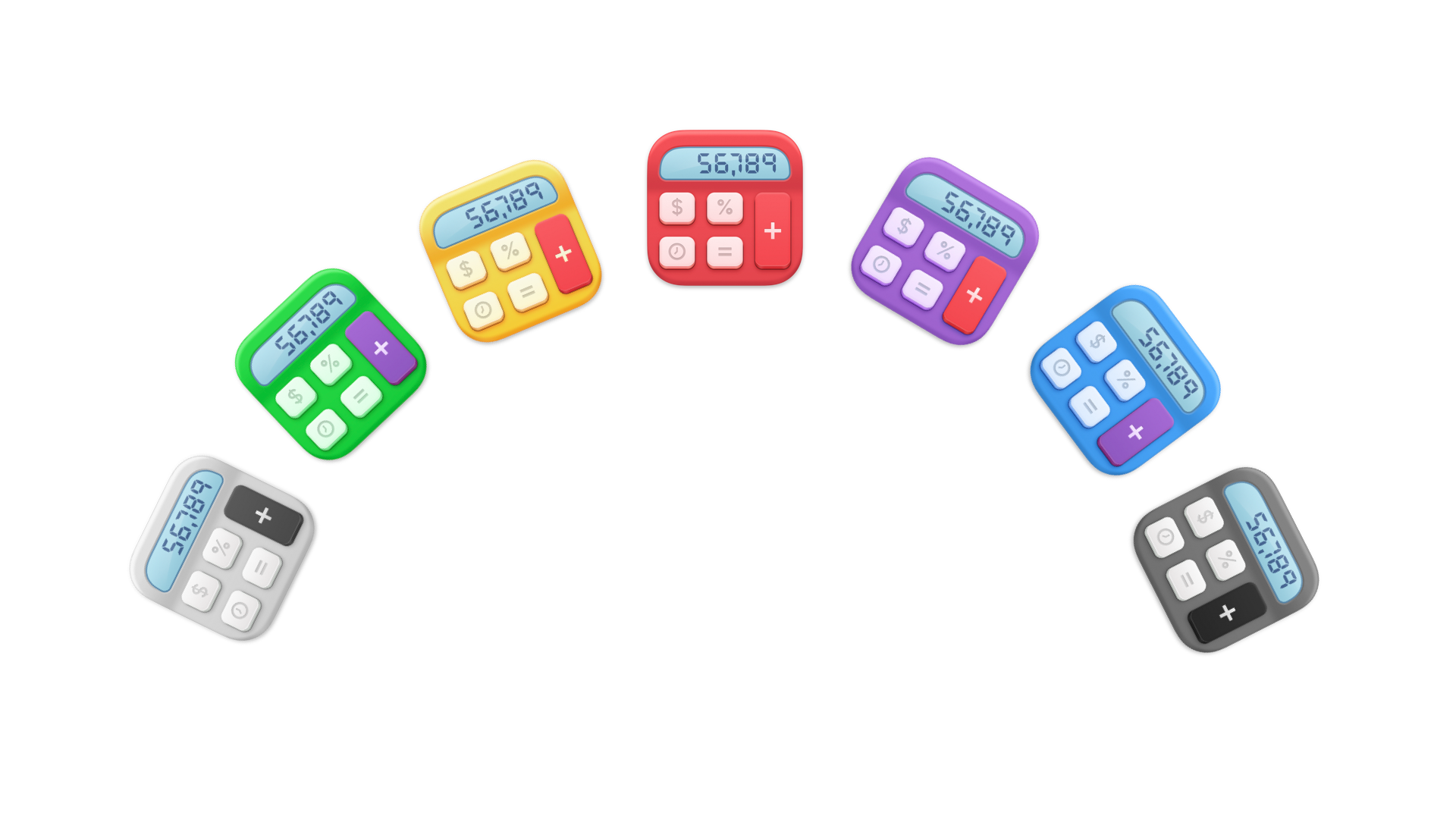
멋진 새 계산기 앱을 위해 선택할 수 있는 7가지의 귀여운 아이콘
### 왜 이걸 사용하고 싶을까요?
* Soulver가 설치되지 않은 사람들과 계산 시트(변수 및 셀 참조가 포함된 시트일 가능성이 높음)를 공유하기 위해 Soulver Studio를 사용합니다.
* 예를 들어, 누군가에게 Excel/Numbers 스프레드시트를 보내는 대안으로 사용할 수 있습니다.
### 어떻게 사용하나요?
1. 시트를 선택한 다음 **Sheet** 메뉴 > **Build app from Sheet**로 이동합니다.
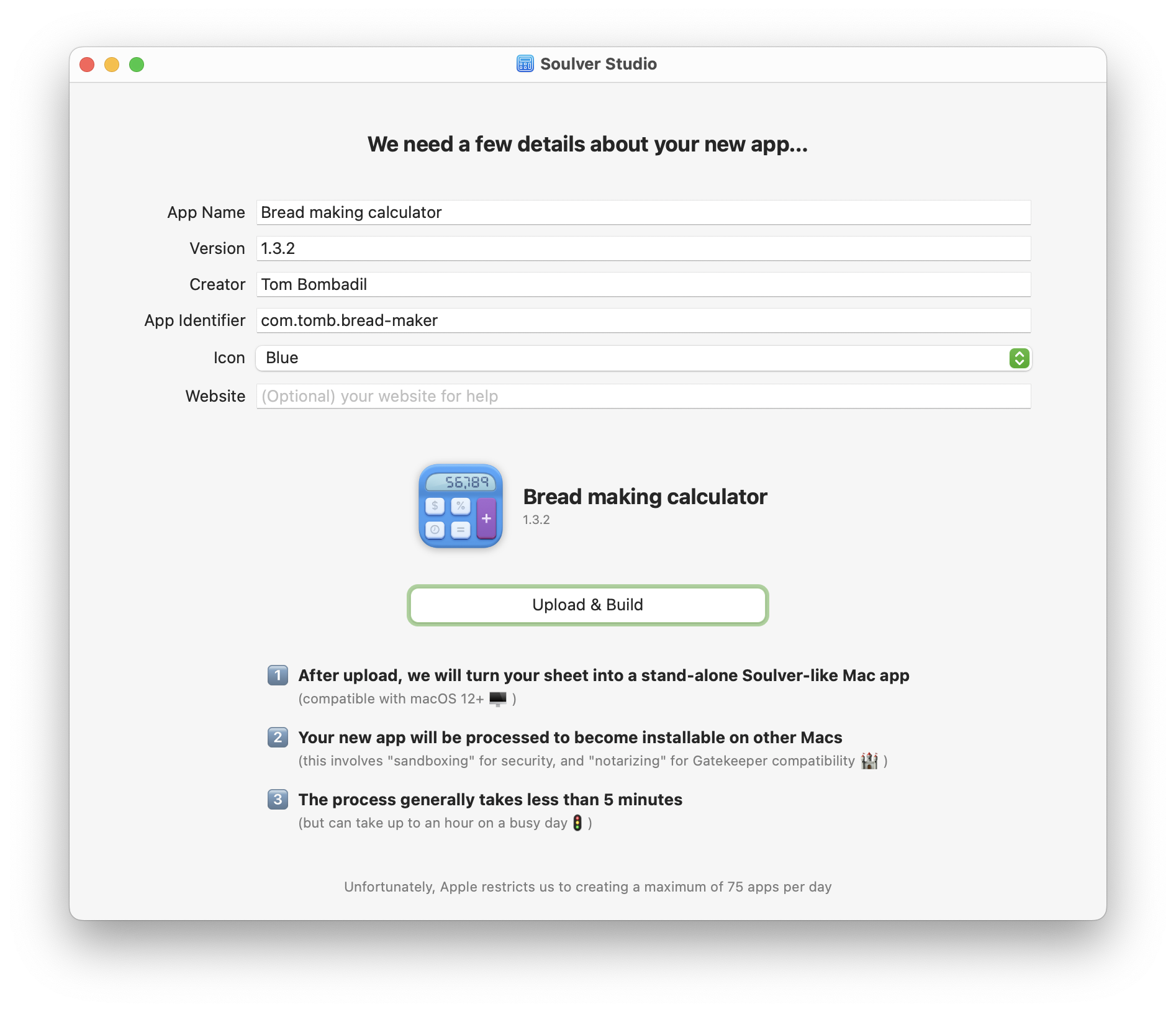
2. 새 앱에 대한 세부 정보를 제공합니다. 기억하기 쉬운 이름을 지정하고, 버전 번호(1.2.3 등)를 설정하며, 앱의 새 빌드 전반에 걸쳐 일관되게 유지될 고유 식별자를 제공합니다(macOS는 모든 Mac 앱에 식별자를 요구합니다).
3. 사용 가능한 7가지 색상 옵션 중 원하는 아이콘을 선택합니다.
4. **Upload and Build**를 클릭합니다.
5. 새 앱은 (일반적으로) 5분 이내에 다운로드할 준비가 됩니다. 압축된 상태는 약 7MB, 압축 해제된 상태는 15MB입니다.
Soulver 시트를 독립 실행형 앱으로 변환하는 것이 정말 이렇게 쉽습니다.
### 시트를 업로드한 후에는 어떻게 되나요?
* 시트가 저희 서버에 업로드되면 Soulver와 유사한 Mac 앱으로 변환됩니다.
* 그런 다음 앱은 [sandboxed](https://developer.apple.com/documentation/security/app_sandbox/protecting_user_data_with_app_sandbox)됩니다. 샌드박싱은 macOS에서 앱이 사용자의 파일에 접근하는 것을 기술적으로 불가능하게 만드는 선택적 보안 조치입니다(추가적인 안심을 위해).
* 그 후 앱은 [notarization](https://developer.apple.com/documentation/security/notarizing_macos_software_before_distribution)이라는 프로세스를 위해 Apple으로 전송됩니다. 이는 다른 Mac에서 앱을 설치 가능하게 만드는 데 필요한 단계입니다( [Gatekeeper](https://support.apple.com/guide/security/gatekeeper-and-runtime-protection-sec5599b66df/web) 참조). 일반적으로 몇 분이 걸리지만, Apple이 바쁜 날에는 최대 한 시간이 걸릴 수 있습니다.
* 앱은 완료 후 24시간 이내에 저희 서버에서 삭제됩니다. 앱을 다른 사람과 공유하려면 직접 호스팅해야 합니다.
### 제한 사항
* Soulver Studio 앱은 새 줄을 만들 수 없습니다. 앱으로 유용하게 사용하려면 시트를 변수 및 셀 참조를 사용하여 설정하는 것을 권장합니다.
* Soulver Studio 앱은 실시간 주가를 가져오거나 날씨 조회를 할 수 없습니다(하지만 실시간 통화 환율에는 접근할 수 있습니다).
* 저희는 Apple에 의해 하루에 [75개의 앱을 빌드하는 것](https://developer.apple.com/documentation/security/notarizing_macos_software_before_distribution/customizing_the_notarization_workflow#3561440)으로 제한됩니다. 이 한도에 도달하면 Soulver Studio는 일정 기간 동안 사용할 수 없게 됩니다.