> For the complete documentation index, see [llms.txt](https://documentation.soulver.app/llms.txt). Markdown versions of documentation pages are available by appending `.md` to page URLs; this page is available as [Markdown](https://documentation.soulver.app/ja/documentation/formatting/region-settings.md).

# 数値形式

「.」を小数点として解釈するか、千の区切り文字として解釈するかは？

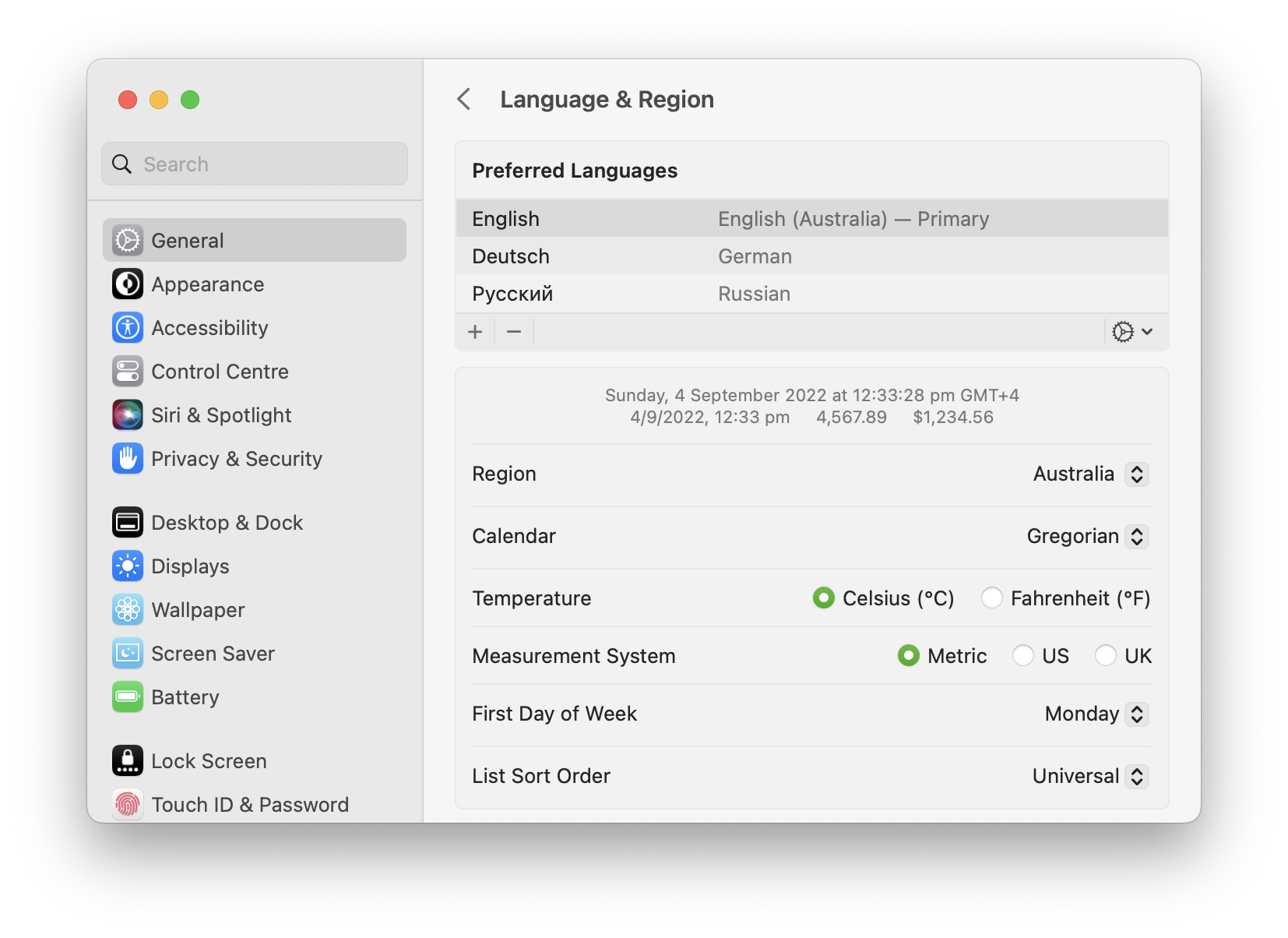
**デフォルト**では、Soulverはデバイスの**言語と地域**システム設定を使用します。

<figure><img src="https://1391542330-files.gitbook.io/~/files/v0/b/gitbook-x-prod.appspot.com/o/spaces%2FI7BDE0UL8yoAyu9oYfUO%2Fuploads%2Fgit-blob-3fb48b1aa45796eb68dedc33e05fbe4769ad4086%2FScreenshot%202022-09-04%20at%2012.33.55%20pm.png?alt=media" alt=""><figcaption><p>macOSのシステム設定が、地域に基づいて使用する数値フォーマットをSoulverに通知します</p></figcaption></figure>

### 数値フォーマットの設定を選択する

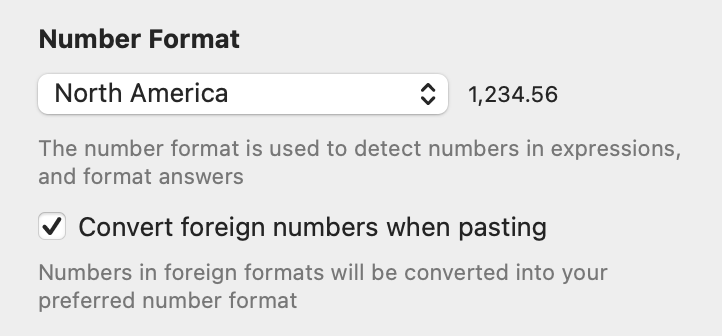
Mac では、**Settings > Numbers > Number format** を使用して別の数値形式を選択します。
<div align="left"><figure><img src="https://1391542330-files.gitbook.io/~/files/v0/b/gitbook-x-prod.appspot.com/o/spaces%2FI7BDE0UL8yoAyu9oYfUO%2Fuploads%2Fgit-blob-9b35c183733425891ca83913df34d3a052f8d4e9%2FScreenshot%202025-04-07%20at%2012.31.14%E2%80%AFpm.png?alt=media" alt="" width="361"><figcaption><p>システム地域に加えて、3つの標準地域から選択できます</p></figcaption></figure></div>

| フォーマット | 千の区切り文字  | 小数点 |
| ------ | -------- | --- |
| 北米     | ,        | .   |
| 西ヨーロッパ | .        | ,   |
| 東ヨーロッパ | (スペース文字) | ,   |

{% hint style="info" %}
東ヨーロッパ地域では、小数点として「.」または「,」が使用される場合があります
{% endhint %}

### 入力時に千の区切り文字を自動挿入する

**編集**設定ペインの**数値に千の区切り文字を付ける**にチェックを入れると、

10000 は 10,000 (北米の場合など) として自動的にフォーマットされます。

<figure><img src="https://1391542330-files.gitbook.io/~/files/v0/b/gitbook-x-prod.appspot.com/o/spaces%2FI7BDE0UL8yoAyu9oYfUO%2Fuploads%2Fgit-blob-ef702059c85f45dbe49343fd1d8e9b3e05ee7996%2Fimage%20(6).png?alt=media" alt=""><figcaption><p>Soulverは、入力する際に数値に自動的に千の区切り文字を挿入できます</p></figcaption></figure>

### 貼り付け時に外国形式の数値を変換する

Mac では、**Settings > Numbers** の **Convert foreign numbers when pasting** を有効にして、貼り付けた数値を選択した数値形式に変換します。

{% hint style="info" %}
外国の数値フォーマットを使用するシートは、開いたときに選択した数値フォーマットに自動的に変換されます。
{% endhint %}

### 千の区切り文字としてアンダースコアを使用する

アンダースコア文字を使用して数値を区切ることができます。

これはプログラミング言語で一般的にサポートされているため、Soulverとコードの間で数値を簡単にコピー＆ペーストできます。

```
1_000_000 + 2_000          | 1,002,000
0b_1100_0001 to decimal    | 193
0xCAFE_F00D to decimal     | 3.406G
```