> For the complete documentation index, see [llms.txt](https://documentation.soulver.app/llms.txt). Markdown versions of documentation pages are available by appending `.md` to page URLs; this page is available as [Markdown](https://documentation.soulver.app/de/documentation/formatting/appearance-and-styles.md).
# Textstile
### Syntaxhervorhebung
Mithilfe der Syntaxhervorhebung können Sie sehen, wie Soulver Ihren Ausdruck interpretiert. Zahlen, Variablen und Operatoren werden in verschiedenen Farben angezeigt und Phrasen, die Soulver versteht, sind unterstrichen.
### Zeilenhervorhebung
Sie können den Text einer Zeile, ihre Beschriftung oder ihren Kommentar separat hervorheben. Durch die Hervorhebung wird die Syntaxfärbung für diesen Teil der Zeile ersetzt.
**Auf dem Mac:** Platzieren Sie den Cursor in dem Text, der Beschriftung oder dem Kommentar, den Sie hervorheben möchten, und wählen Sie dann eine Farbe aus **Format > Highlight** aus. Sie können auch bei gedrückter Ctrl-Taste auf diesen Teil der Linie klicken und im Kontextmenü eine Hervorhebungsfarbe auswählen.
**Auf iPad und iPhone:** Wählen Sie Text im Textkörper, in der Beschriftung oder im Kommentar aus, wählen Sie dann **Highlight** aus dem Bearbeitungsmenü und wählen Sie eine Farbe aus.
### Hervorhebungsfarben anpassen
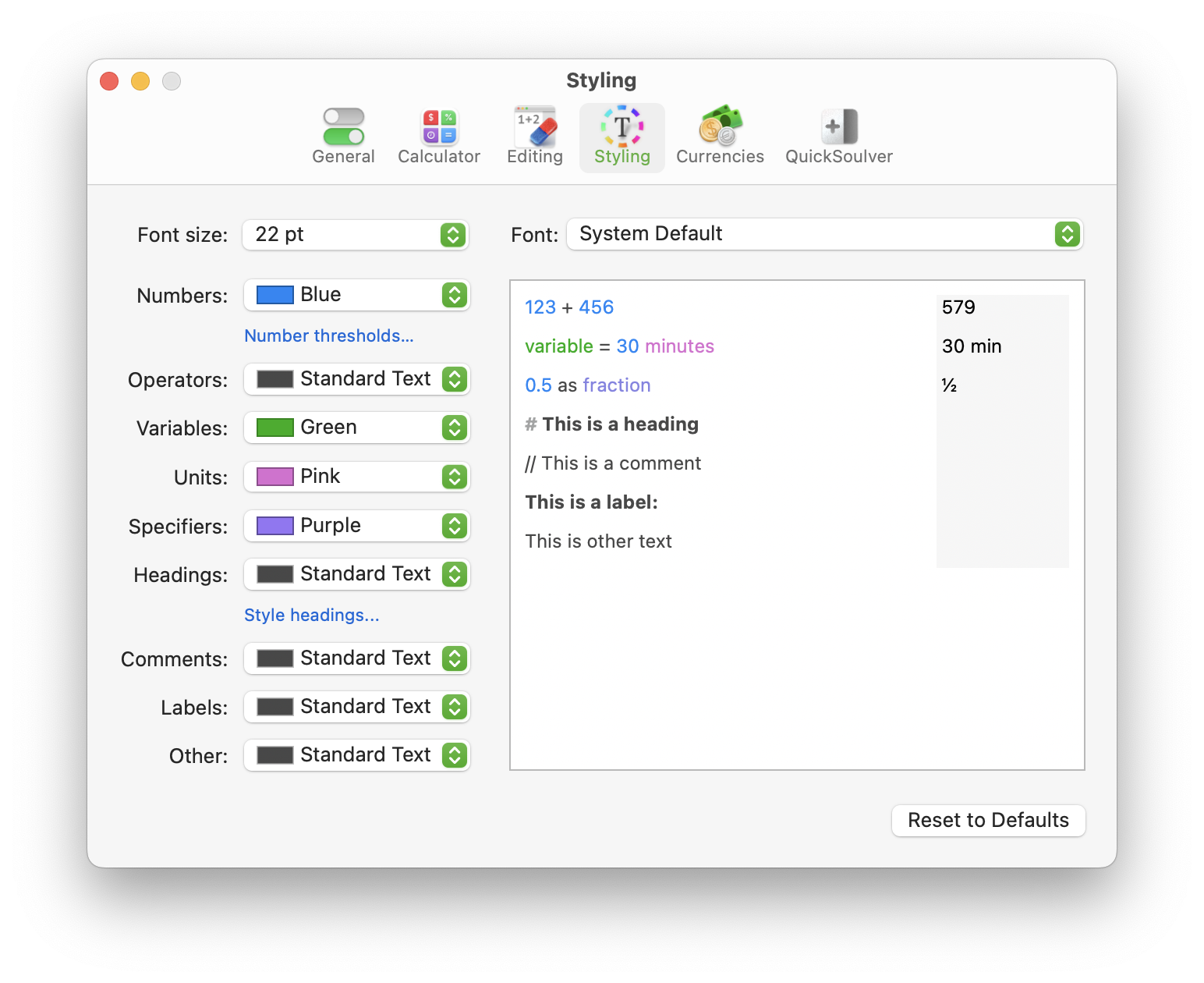
Passe die Farben an, mit denen Soulver die verschiedenen Teile deines Ausdrucks markiert, im Einstellungsbereich **Darstellung**:
Die Darstellungs-Einstellungen in der Mac-Version von Soulver
### Monospace-Ziffern
Wähle in der Popup-Liste **Schrift** die Option **Systemstandard (Monospace-Ziffern)**
.png?alt=media)
.png?alt=media)